Introduction
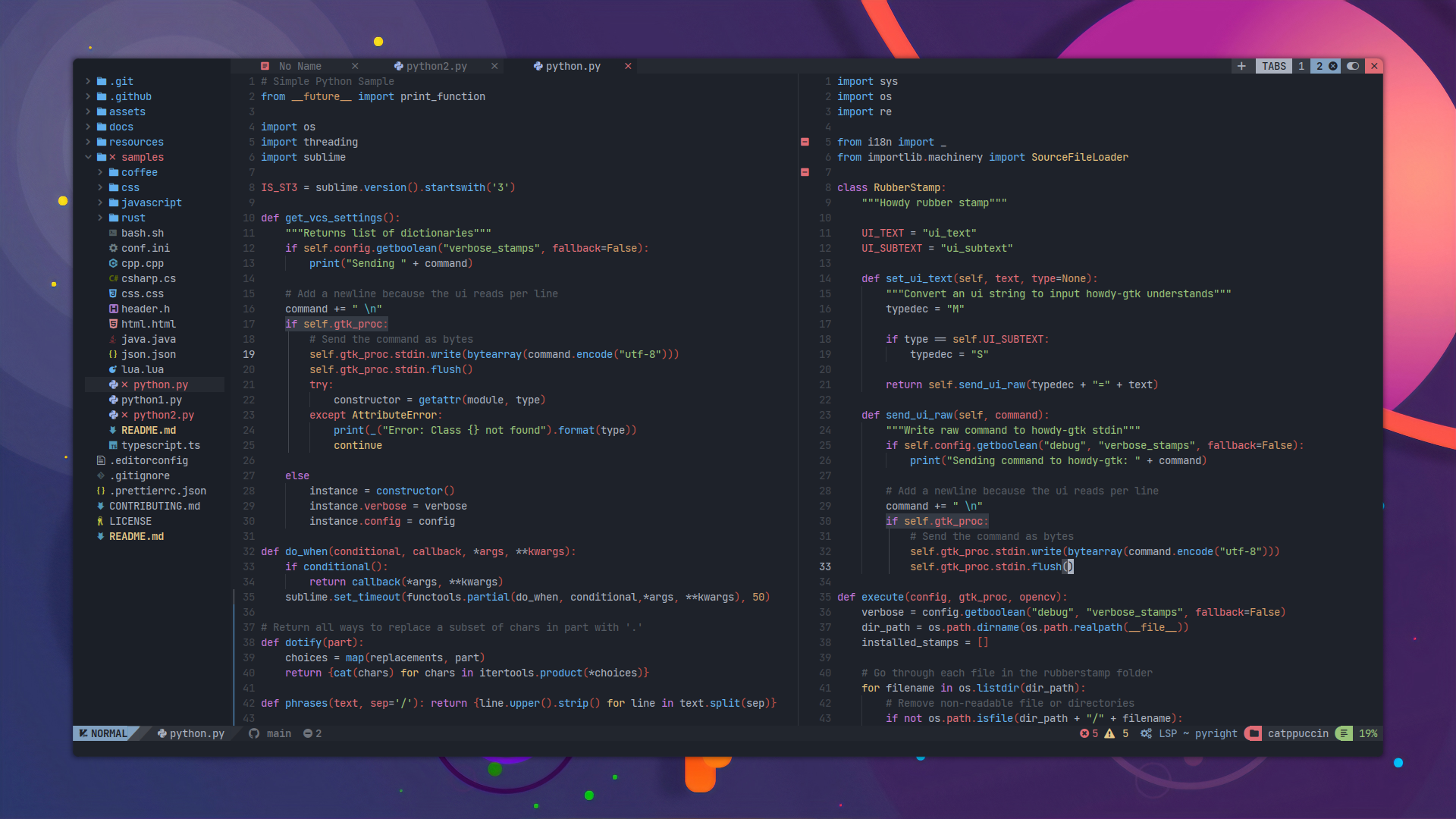
Welcome to the nix4nvchad documentation!
nix4nvchad provides a seamless way to integrate NvChad, a blazing fast Neovim configuration, into your Nix setup.
By leveraging Nix, you can declare your Neovim environment, language servers, and custom configurations deterministically, ensuring your editor setup is identical across all your machines.
Note
This project is designed primarily for use with Nix Flakes. Make sure you have flakes enabled in your Nix installation. See Flakes on the NixOS Wiki for more information.
How it works (Technical Details)
Packaging NvChad for Nix isn’t as straightforward as a standard application package. NvChad is fundamentally a user configuration for Neovim, not a standalone compiled binary.
By default, NvChad lazily loads plugins. On its first launch, it needs to write state files (like lazy-lock.json) and compiled modules to disk. In a standard Linux environment, it writes these to ~/.config/nvim and ~/.local/share/nvim.
However, in Nix, all packages are built and stored in /nix/store, which is strictly read-only. If Neovim tries to run NvChad directly from the Nix store, the editor will crash or throw errors because it cannot write its required runtime files.
The Solution:
To bypass this limitation without breaking the deterministic nature of Nix, nix4nvchad uses a wrapper around the nvim executable. When you launch this wrapped nvim:
- It checks if the NvChad configuration already exists in your home directory (
~/.config/nvim). - If it does not exist, the wrapper automatically copies the immutable NvChad starter files and your custom Nix configurations from the
/nix/storeinto your writable~/.config/nvimdirectory. - Finally, it launches Neovim, allowing NvChad to write its lockfiles and state normally while still respecting the dependencies and LSP servers injected via Nix.
Features
- Home Manager Integration: Easily configure NvChad using our provided Home Manager module.
- Standalone Package: Use it independently of Home Manager by overriding the Nix derivation directly.
- Isolated Dependencies: Manage your runtime dependencies (like LSP servers, formatters, and tools) in isolation. They are made available exclusively to NvChad without polluting your global system environment.
Tip
If you are new to NvChad, we recommend reading through the official NvChad documentation to familiarize yourself with its structure and defaults.
Ready to get started? Head over to the Installation guide.
Installation
To install and use nix4nvchad, you must have Nix flakes enabled on your system.
There are two primary ways to integrate nix4nvchad into your setup: using the provided Home Manager module or using the Standalone Package.
Setting up Inputs
First, you need to add the repository to your flake.nix inputs.
You can use the default configuration which automatically pulls the standard NvChad starter repository, or you can override it to use your own fork or local configuration folder.
Default Input:
Note
The default configuration pulls the standard NvChad starter template. This is a minimal, blazing-fast setup. It’s especially useful for servers or lightweight environments where you just want a solid Neovim base without writing custom plugins.
{
  inputs = {
    nixpkgs.url = "github:nixos/nixpkgs/nixpkgs-unstable";

    nix4nvchad = {
      url = "github:nix-community/nix4nvchad";
      inputs.nixpkgs.follows = "nixpkgs";
    };
  };
  # ...
}
Input with Custom Starter Repository:
If you have a customized NvChad setup that follows the structure of the starter template, you can override the nvchad-starter input. This tells the flake to build NvChad using your source instead of the default.
Tip
Why do this? Keeping your NvChad configuration in a separate repository using vanilla Lua allows you to use the exact same configuration on systems without Nix. In your Nix configuration, you only need to enable
nix4nvchadand passextraPackagesto ensure all LSPs and tools are perfectly wired up. See Advanced Usage for more details.
{
  inputs = {
    nixpkgs.url = "github:nixos/nixpkgs/nixpkgs-unstable";

    # Your custom NvChad configuration repository or local folder
    my-nvchad-config = {
      url = "github:YOUR_USERNAME/your-nvchad-repo";
      # Or for a local folder: url = "path:./nvim-config";
      flake = false;
    };

    nix4nvchad = {
      url = "github:nix-community/nix4nvchad";
      inputs.nixpkgs.follows = "nixpkgs";
      inputs.nvchad-starter.follows = "my-nvchad-config"; # Overrides the starter
    };
  };
  # ...
}
Configuring Outputs
Once your inputs are set, you need to make nix4nvchad available in your outputs. You can access the package or module directly by its path, or by passing inputs into your NixOS/Home Manager configuration.
Example 1: Passing inputs to a NixOS Module (with Home Manager):
  outputs = { self, nixpkgs, home-manager, ... }@inputs:
  let
    system = "x86_64-linux";
  in
  {
    nixosConfigurations.my-system = nixpkgs.lib.nixosSystem {
      inherit system;
      # Makes 'inputs' available in NixOS configuration.nix
      specialArgs = { inherit inputs; };
      modules = [
        ./configuration.nix
        home-manager.nixosModules.home-manager {
          # Makes 'inputs' available in Home Manager home.nix
          home-manager.extraSpecialArgs = { inherit inputs; };
          home-manager.users.myuser = import ./home.nix;
        }
      ];
    };
  };
Example 2: Passing inputs for Standalone Home Manager (or nix-darwin):
  outputs = { self, nixpkgs, home-manager, ... }@inputs:
  let
    system = "aarch64-darwin"; # Or x86_64-linux
    pkgs = import nixpkgs { inherit system; };
  in
  {
    homeConfigurations."myuser" = home-manager.lib.homeManagerConfiguration {
      inherit pkgs;
      # Makes 'inputs' available in home.nix
      extraSpecialArgs = { inherit inputs; };
      modules = [ ./home.nix ];
    };
  };
Method 1: Home Manager Module (Recommended)
If you use Home Manager, you can simply import the module.
Warning
Do not install the standard
neovimpackage andnix4nvchadat the same time.nix4nvchadwraps thenvimexecutable and exposes it to the system. If you enable both the Home Managerprograms.neovimmodule (or installpkgs.neovimglobally) andnvchad, it will lead to an executable collision. Even if it installs, whichevernvimbinary appears first in your$PATHwill take precedence, resulting in undefined behavior and failing plugins.
❌ WRONG:
{ inputs, pkgs, ... }: {
  imports = [ inputs.nix4nvchad.homeManagerModules.default ];

  programs.nvchad.enable = true;
  programs.neovim.enable = true; # Collision!
  home.packages = [ pkgs.neovim ]; # Collision!
}
✅ CORRECT:
{ inputs, pkgs, ... }: {
  imports = [ inputs.nix4nvchad.homeManagerModules.default ];

  programs.nvchad = {
    enable = true;
    # You can configure extra options here (see the Configuration section)
  };
}
Method 2: Standalone Package
If you do not use Home Manager or prefer to handle the package directly, you can access the derivation from the flake outputs.
You can use the package as-is if you rely entirely on a custom starter repository (defined in inputs) or just want the default setup.
{ inputs, pkgs, ... }:
let
  system = pkgs.stdenv.hostPlatform.system;
in
{
  environment.systemPackages = [ inputs.nix4nvchad.packages.${system}.default ];
}
Overriding the Package
If you need to inject Nix packages or configure extra options via Nix, you can use the .override method to customize the package before installing it.
Details on all available override parameters are in the Configuration section.
Local variable definition
{ inputs, pkgs, ... }:
let
  system = pkgs.stdenv.hostPlatform.system;
  nvchad = inputs.nix4nvchad.packages.${system}.default.override {
    # Custom configuration goes here
  };
in
{
  environment.systemPackages = [ nvchad ];
  # Or for Home Manager: home.packages = [ nvchad ];
}
Using an Overlay (Recommended for Standalone)
To make your customized NvChad globally accessible as pkgs.nvchad, you can define an overlay.
{ inputs, pkgs, ... }:
let
  system = pkgs.stdenv.hostPlatform.system;
in
{
  nixpkgs.overlays = [
    (final: prev: {
      nvchad = inputs.nix4nvchad.packages.${system}.default.override {
        # Custom configuration goes here
      };
    })
  ];

  # Now you can use it just like any other package from nixpkgs
  environment.systemPackages = [ pkgs.nvchad ];
}
Configuration
Whether you use the Home Manager module or the package override, you can customize your NvChad experience by passing extra configurations, plugins, and packages.
When using Home Manager, these are set under programs.nvchad.<option>. When using the standalone package, they are passed as arguments to the .override { ... } function.
Available Options
Below is a comprehensive list of available options grouped by their purpose.
Note
Options marked with (HM) in their description (
enable,hm-activation,backup) are only applicable when using the Home Manager module. They have no effect when using the standalone package.override.
Core & Environment
This section covers options that affect the underlying Neovim executable and the tools available in its environment.
neovim
Type: package
Default: pkgs.neovim
The Neovim package to use under the NvChad wrapper. You can use this to switch to a nightly build or a custom-compiled version of Neovim.
Example (Home Manager):
programs.nvchad.neovim = pkgs.neovim-unwrapped;
Example (Standalone):
nvchad = inputs.nix4nvchad.packages.${system}.default.override {
  neovim = pkgs.neovim-unwrapped;
};
extraPackages
Type: list of packages
Default: [ ] (plus default starter dependencies)
A list of additional packages (like LSPs, formatters, linters) to make available to NvChad as runtime dependencies.
Tip
Keep your global environment clean! Add tools like LSPs (e.g.,
pyright,nil,gopls) here. They will only be available within the NvChad environment, ensuring your editor finds them without polluting your system.
Example (Home Manager):
programs.nvchad.extraPackages = with pkgs; [
  ripgrep
  lua-language-server
  stylua
  nodePackages.bash-language-server
];
Example (Standalone):
nvchad = inputs.nix4nvchad.packages.${system}.default.override {
  extraPackages = with pkgs; [
    ripgrep
    lua-language-server
    stylua
    nodePackages.bash-language-server
  ];
};
gcc
Type: package
Default: pkgs.gcc
The GCC compiler you want to use. Tree-sitter relies heavily on a C compiler to build parsers. You can override this if you need a specific compiler toolchain.
Example (Home Manager):
programs.nvchad.gcc = pkgs.gcc13;
Example (Standalone):
nvchad = inputs.nix4nvchad.packages.${system}.default.override {
  gcc = pkgs.gcc13;
};
Customization & Plugins
This section covers options for injecting custom Lua code, modifying the UI, and managing plugins.
extraConfig
Type: string
Default: ""
Arbitrary Lua code that will be loaded after NvChad is fully loaded. Use this to set custom vim.opt settings, keymaps, or auto-commands.
Caution
If you have a very complex configuration, writing massive multiline strings in Nix can become hard to maintain. Consider splitting them out into separate
.luafiles and reading them withbuiltins.readFile.
Example (Home Manager):
programs.nvchad.extraConfig = ''
  -- Custom vim options
  vim.opt.shiftwidth = 2
  vim.opt.tabstop = 2
  vim.opt.expandtab = true

  -- Custom keymaps
  vim.keymap.set("n", "<leader>w", "<cmd>w<CR>", { desc = "Save file" })
'';
Example (Standalone):
nvchad = inputs.nix4nvchad.packages.${system}.default.override {
  extraConfig = ''
    -- Custom vim options
    vim.opt.shiftwidth = 2
    vim.opt.tabstop = 2
    vim.opt.expandtab = true

    -- Custom keymaps
    vim.keymap.set("n", "<leader>w", "<cmd>w<CR>", { desc = "Save file" })
  '';
};
chadrcConfig
Type: string
Default: ""
Configuration that replaces chadrc.lua. This is primarily used to override the default UI configuration (themes, transparency, etc.).
Important
Make sure to include
local M = {}at the top, andreturn Mat the bottom of your string.
Example (Home Manager):
programs.nvchad.chadrcConfig = ''
  local M = {}
  M.ui = {
    theme = "catppuccin",
    transparency = true,
  }
  return M
'';
Example (Standalone):
nvchad = inputs.nix4nvchad.packages.${system}.default.override {
  chadrcConfig = ''
    local M = {}
    M.ui = {
      theme = "catppuccin",
      transparency = true,
    }
    return M
  '';
};
extraPlugins
Type: string (Lua code)
Default: ""
A string containing a Lua table of extra plugins you want to install. This list will be loaded and managed by lazy.nvim.
Example (Home Manager):
programs.nvchad.extraPlugins = ''
  return {
    { "equalsraf/neovim-gui-shim", lazy = false },
    { "nvim-lua/plenary.nvim" },
    {
      "xeluxee/competitest.nvim",
      dependencies = "MunifTanjim/nui.nvim",
      config = function() require("competitest").setup() end,
    },
  }
'';
Example (Standalone):
nvchad = inputs.nix4nvchad.packages.${system}.default.override {
  extraPlugins = ''
    return {
      { "equalsraf/neovim-gui-shim", lazy = false },
      { "nvim-lua/plenary.nvim" },
      {
        "xeluxee/competitest.nvim",
        dependencies = "MunifTanjim/nui.nvim",
        config = function() require("competitest").setup() end,
      },
    }
  '';
};
lazy-lock
Type: string (JSON content)
Default: ""
The contents of a lazy-lock.json file. If provided, this will lock lazy.nvim’s plugin versions to ensure reproducible plugin installations. Leave it empty if you want lazy.nvim to manage the lockfile dynamically in your home directory.
Example (Home Manager):
programs.nvchad.lazy-lock = builtins.readFile ./lazy-lock.json;
Example (Standalone):
nvchad = inputs.nix4nvchad.packages.${system}.default.override {
  lazy-lock = builtins.readFile ./lazy-lock.json;
};
Home Manager Specifics
These options dictate how the Home Manager module behaves when activating the configuration.
enable
Type: boolean
Default: false
(HM) Enables the NvChad Home Manager module. If set to false, the module is ignored when building the new generation.
Example:
programs.nvchad.enable = true;
hm-activation
Type: boolean
Default: true
(HM) If set to false, Home Manager will not automatically copy the NvChad configuration to ~/.config/nvim. This allows you to manage the configuration directory manually (e.g., by cloning the NvChad repository yourself) while still using the wrapped executable and isolated dependencies provided by this module.
Example:
programs.nvchad.hm-activation = false;
backup
Type: boolean
Default: true
(HM) Because this module copies NvChad to ~/.config/nvim instead of creating a read-only symlink (a necessary workaround for NvChad’s lazy-loading), it will create a backup of your existing configuration at ~/.config/nvim_%Y_%m_%d_%H_%M_%S.bak during generation switches.
If you do not want backups to be created, disable this option.
Example:
programs.nvchad.backup = false;
Advanced Usage
Overriding the Starter Repository
By default, nix4nvchad pulls the NvChad starter template to initialize the configuration. This provides a minimal, fast setup out-of-the-box.
Important
If you have your own fork of the starter repository or a completely customized NvChad structure, you can override the source used to build the derivation. Your repository or local folder must follow the structure of the official NvChad starter.
Benefits of a Custom Starter:
- Portability: You can maintain your Neovim configuration in pure, vanilla Lua. This means you can clone and use your configuration on any machine or distribution, even if it doesn’t have Nix installed.
- Minimal Nix Config: Your Nix configuration remains incredibly clean. You only need to declare
nix4nvchadand populateextraPackagesto guarantee that Neovim can find the executables for your LSPs, formatters, and linters.
Defining the Custom Source
You can override the source by defining it in your flake.nix inputs. This can be a GitHub repository or a local path on your machine.
Example (GitHub Repository):
{
  inputs = {
    nixpkgs.url = "github:nixos/nixpkgs/nixpkgs-unstable";

    # Your custom NvChad configuration repository
    my-nvchad-config = {
      url = "github:YOUR_USERNAME/my-nvchad-config";
      flake = false;
    };

    nix4nvchad = {
      url = "github:nix-community/nix4nvchad";
      inputs.nixpkgs.follows = "nixpkgs";
      inputs.nvchad-starter.follows = "my-nvchad-config"; # Overrides the starter
    };
  };
  # ...
}
Example (Local Folder):
If you manage your dotfiles in a single repository and want to point to a local nvim folder:
{
  inputs = {
    nixpkgs.url = "github:nixos/nixpkgs/nixpkgs-unstable";

    # Path to your local nvim configuration folder
    my-nvchad-config = {
      url = "path:./path/to/your/nvim/folder";
      flake = false;
    };

    nix4nvchad = {
      url = "github:nix-community/nix4nvchad";
      inputs.nixpkgs.follows = "nixpkgs";
      inputs.nvchad-starter.follows = "my-nvchad-config"; # Overrides the starter
    };
  };
  # ...
}
Once the input is overridden, nix4nvchad will automatically use your custom Lua files to build the wrapped Neovim derivation.
Deprecated Features
This page lists features, attributes, or configuration options that are currently deprecated and slated for removal in future versions of nix4nvchad.
homeManagerModule Attribute
The flake output attribute inputs.nix4nvchad.homeManagerModule is deprecated and will be removed in the near future.
Why is it being removed?
In the Nix flake ecosystem, Home Manager modules exported by a flake are inherently non-standard (unlike NixOS or nix-darwin modules). The standard and most widely accepted way to export these is under the homeManagerModules (plural) attribute, typically exposing the default module as homeManagerModules.default.
Maintaining the singular homeManagerModule attribute is redundant, creates unnecessary aliases in the flake output, and can trigger validation warnings in some Nix checking tools.
What should you use instead?
You should update your imports to use the standard homeManagerModules.default path.
❌ Deprecated:
{ inputs, pkgs, ... }: {
  imports = [
    inputs.nix4nvchad.homeManagerModule
  ];

  programs.nvchad.enable = true;
}
✅ Recommended:
{ inputs, pkgs, ... }: {
  imports = [
    inputs.nix4nvchad.homeManagerModules.default
  ];

  programs.nvchad.enable = true;
}